Integrating Mews Booking Widget into Wix for a Custom Booking Experience — The Landgrove Case Study
How The Landgrove put a custom Mews booking flow on Wix — for both rooms and artist workshops. A real independent-inn case study.
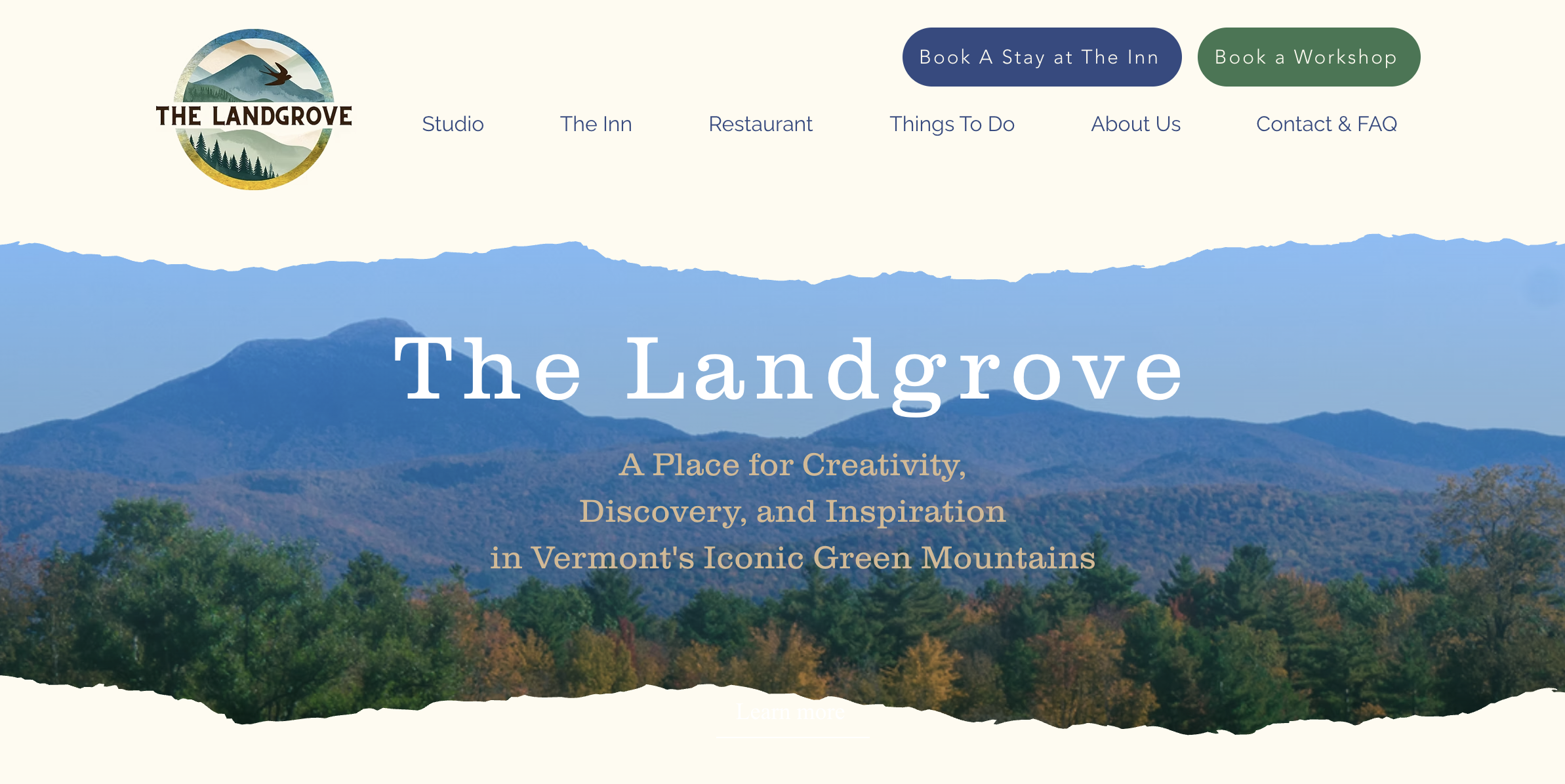
In this case study, we’ll cover how we dynamically connected Mews Booking Engine to The Landgrove’s Wix website to handle their unique service offerings.
When Bruce, owner of The Landgrove reached out, the team had just launched a new Wix website and set up Mews PMS (Property Management Software).
“We just built a new website with Wix and launched on Mews. We need to embed Mews for general bookings, but also create specific booking pages for our artist workshops.”
They needed a way to embed Mews for general bookings and create dedicated flows for their workshops—all while keeping the user experience smooth and intuitive. After reviewing their requirements, we built an integration plan that included:
- A General Room Booking Flow: We launched the Mews Room Booking Engine dynamically based on dates, guest counts, and promo codes. To achieve this, we built a custom booking date picker and individual room pages using the Wix CMS.
- A Workshop Booking Flow: We launched the Mews Workshop Booking Engine (using different rates) based on specific workshop dates. Guests can select a workshop on Wix and automatically “checkout” to the Mews room selection with the correct dates and workshop rates pre-applied. This was built using a custom date picker with a workshop dropdown, powered by the Wix Events database and Velo by Wix (JavaScript).
How to integrate MEWs to your Wix Website: Getting Started
- Define Your Mews Configuration: For this case study, we wanted to launch two different Mews Booking Engines: one for Rooms and one for Workshops. This meant using two distinct Configuration IDs in our custom code. Before you begin, ensure you have configured your space categories, booking engines, and bookable services in Mews, as these settings directly impact the integration.
- Choose Your Integration Method: To achieve a seamless flow, we chose the Mews Booking Engine Widget (JavaScript). This is the best option if you want guests to remain on your website during the booking process rather than being redirected to a new URL. Many users assume they need the Mews API for dynamic features (like passing specific dates or rooms), but the JavaScript widget is often more than enough. Additionally, using the API requires a Mews Enterprise subscription, whereas the widget is much more accessible.
Launching the Booking Engine Widget from Wix (without changing or opening a new page)

For general bookings, our first goal was to ensure the “Book a Stay” button triggered the Mews widget directly on the page—no redirects, no new tabs. Guests can open, close, and reopen the widget without ever leaving the site.
Our second goal was to add a reservation widget/date picker for guest to select check-in and check-out dates and book directly from your site and launch MEWs on the right dates.
The Technical Setup:
- The Mews Script: We added the Mews script to the website header. We then added a custom footer script to relay dates, guest counts, and promo codes to Mews.
- Custom HTML & iFrames: Wix handles JavaScript differently than platforms like Webflow. You cannot always rely on native Wix element IDs to trigger custom scripts. Instead, we injected custom HTML snippets to act as “hooks.”
- The
postMessageSolution: Because these custom snippets live in iFrames, we usedpostMessageto ensure the booking widget opens in a full-page view rather than getting “trapped” inside the small iFrame box.
Launching the Booking Engine Widget for specific rooms using data from your Wix CMS
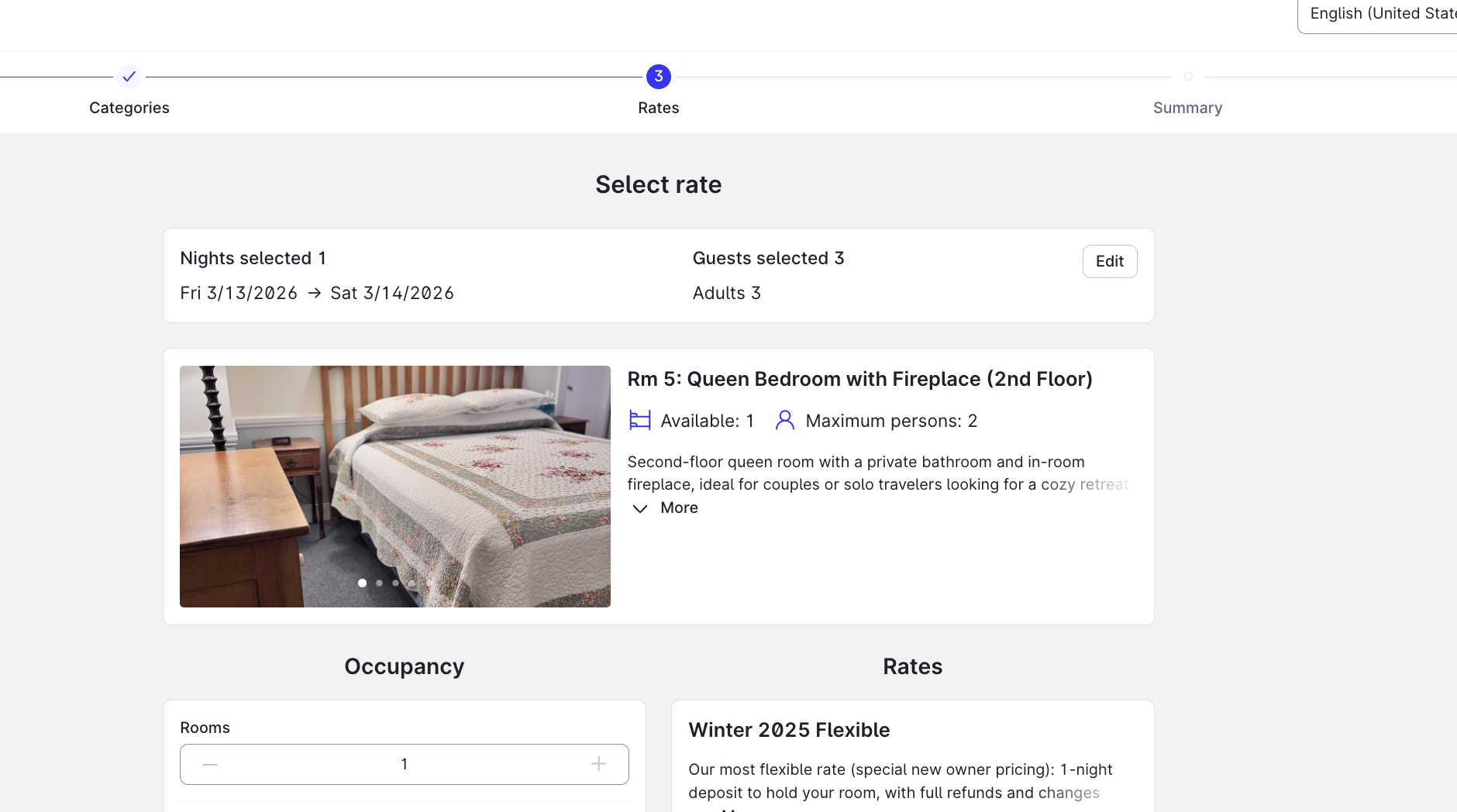
To improve conversion rates, we wanted guests to be able to book specific rooms directly from their respective pages.
- CMS Integration: We created a Wix CMS collection listing all rooms, including the unique Mews Room ID for each.
- Velo for Data Fetching: We used Wix Velo to “grab” the Room ID from the page on load and pass it to the HTML date picker. When a guest clicks “Book” on the Deluxe Suite page, the Mews widget opens specifically for that room.
- SEO Benefit: Beyond functionality, creating these dedicated room pages with high-quality images and unique meta descriptions boosts the site’s SEO.
Launching the Booking Engine Widget for specific event dates from Wix Event Database
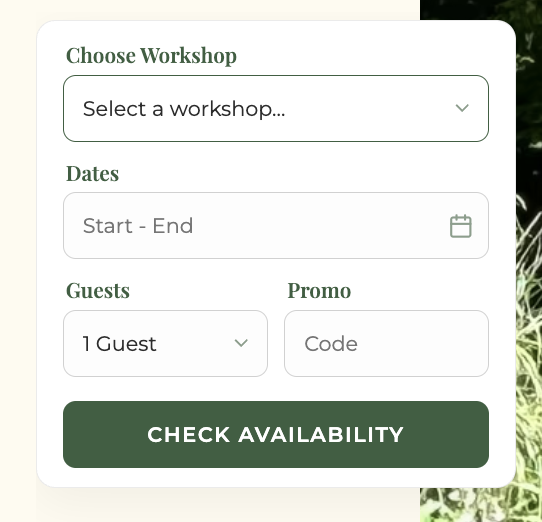
At The Landgrove, guests can book creative workshops in addition to their stay. Previously, guests had to manually look up workshop dates and then try to match them in the booking engine, a point of friction that we can avoid.
- Automated Pre-filling: We connected the Wix Events database to our custom date picker. Now, when a guest selects a workshop, the dates are automatically pre-filled.
- Dynamic Dropdowns: We used Wix Velo to fetch workshop titles and dates directly from the database. This ensures that the booking engine launches with the correct workshop rate and schedule automatically applied.
The Result
The Landgrove now has a fully integrated booking system that:
- Keeps guests on-site (increasing trust and conversion).
- Pre-fills details (reducing user error and friction).
- Supports multiple flows (Inn stays, specific rooms, and workshops) in one cohesive system.
Need help with you Wix x MEWs integration? Learn more and reach out here.
If you are using Wix and Mews and want a custom, high-converting booking system, learn more here and book a free consultation. Whether you need general bookings or complex event integrations, I can design a solution that fits your workflow.